Setting Up credentials
It is strongly recommended to test everything in the API sandbox environment before using real money in the production environment. The sandbox provides a safe and controlled space to experiment with API functionalities, troubleshoot issues, and ensure smooth integration without any financial risk. This helps prevent unintended transactions and ensures that everything is working as expected before moving to the live environment.
The testing or sandbox environment does not use real credentials or actual balances. Additionally, you cannot use test credentials in the live environment, and vice versa. The standard KYC validations required for real accounts are not performed in this environment. Transactions are conducted exclusively with test cards and CVV numbers, among other limitations (see Testing Card Payments for the complete list of sandbox test cards and error simulations). As outlined in the documentation, SMS messages are never sent in the testing environment; instead, confirmation codes are always set to 123456. However, you will receive emails and webhooks with the same payloads as in production, allowing you to test end-to-end workflows seamlessly.
1. Obtain a Demo Account
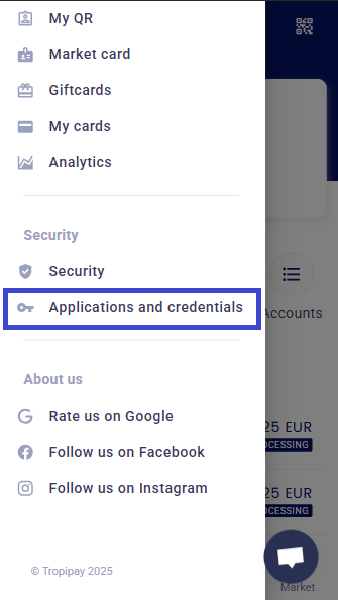
Log in to the sandbox website and navigate to the 'Application and Credentials' section in the main menu.
Business test account:
email: testdevbusiness@mailinator.com
password: 4321REWq
Personal test account
email: testdev@mailinator.com
password: 4321REWq
2. Creating an API Key
An API key and secret function similarly to a username and password for your account. They allow you to authenticate and access the API. You can control which scopes or permissions are granted to these credentials. As a best practice, always follow the principle of least privilege: only assign the minimum necessary permissions required for your specific use case. This reduces security risks and ensures tighter control over your account's access.
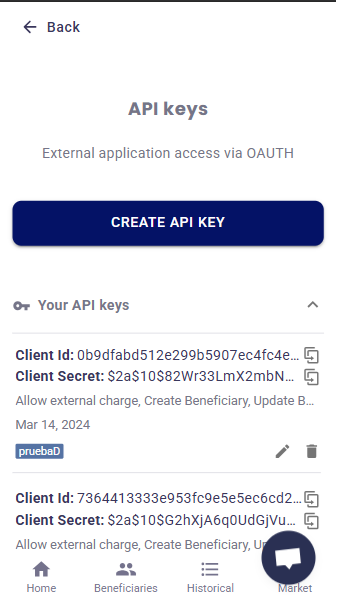
Whether you're in the sandbox or a live environment, be aware that if you fill in the IP address field, the credential will only be accessible from that specific IP or IP range. Use this option only if you have a static IP and plan to use the credential exclusively from that address.
If you're using this credential in the sandbox, you likely want it to be accessible from anywhere. In that case, leave this field blank—otherwise, you’ll end up receiving 'Forbidden' errors everywhere, potentially leading to temporary bans for your user.
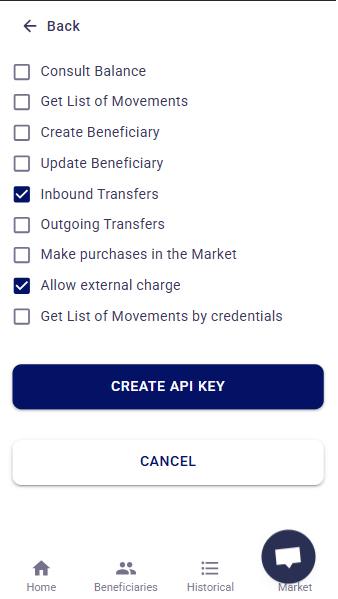
These are the bare minimum permissions required to create a payment card and receive payments. You can adjust these permissions based on your specific needs. Always ensure that the permissions granted align with your use case, following the principle of least privilege to maintain security and control. Review and customize the permissions as necessary to suit your requirements.